-
Getting Started
-
Profile Management
-
Document Management
-
Admin Support
-
Configure 2FA
MiniOrange 2FA
Overview
miniOrange is a suite of WordPress plugins focused on authentication, login security, and identity management. It enhances the default WordPress login system by adding enterprise‑grade security features such as Two‑Factor Authentication (2FA), Single Sign‑On (SSO), role‑based access control, and user provisioning.
In short, miniOrange helps WordPress sites secure user accounts, streamline login workflows, and integrate with external identity providers.
In the case of Inland Presort, it only uses these (2) two different methods:
- OTP over email
- Authenticator App (Google, Microsoft, etc.)
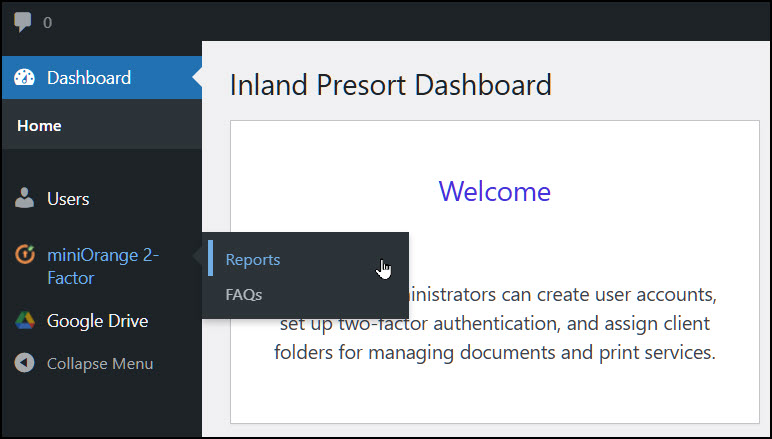
Reports
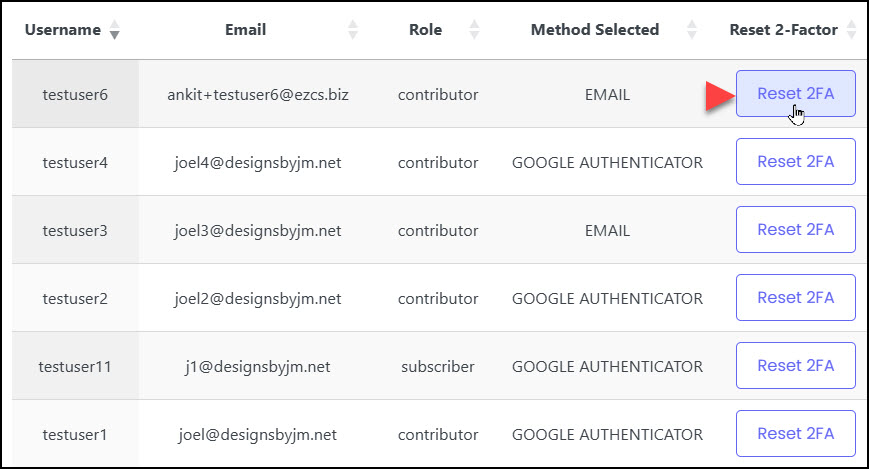
The Reports page in the miniOrange WordPress menu serves as Inland Presort’s central dashboard for monitoring and managing user authentication activity. While miniOrange provides many types of logs, the primary purpose for Inland Administrators is to track the status of each user’s Two‑Factor Authentication (2FA) and to manage or reset their 2FA methods when needed.
This page helps ensure that every staff member is properly enrolled in 2FA and that administrators can quickly intervene if someone is locked out or needs to restart their setup.
Monitor Each User’s 2FA Status
The Reports page shows:
Whether a user has enrolled in 2FA
Which 2FA method they are using
When they last authenticated
Whether any 2FA attempts failed
If a user has not completed 2FA setup
This allows Inland Presort administrators to confirm that all staff are compliant with security requirements.
Reset a User’s 2FA Methods
If a user:
Loses their phone
Changes devices
Gets locked out
Needs to restart their 2FA setup
Administrators can use the Reports page to reset all 2FA methods for that user. This forces the user to go through the 2FA enrollment process again the next time they log in.
This is one of the most common administrative tasks for Inland Presort.