
-
Getting Started
-
Profile Management
-
Document Management
-
Admin Support
-
Configure 2FA
Addendum (Documents)
File Comment Feature
The File Directory has been updated to allow users to add comments to a specific uploaded file.
To add a comment:
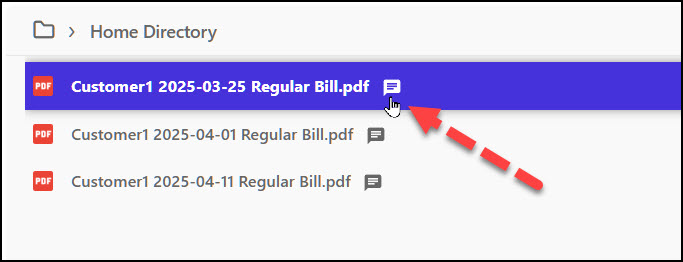
- Mouse over the file item in the File Directory.
- A Comment icon will appear.
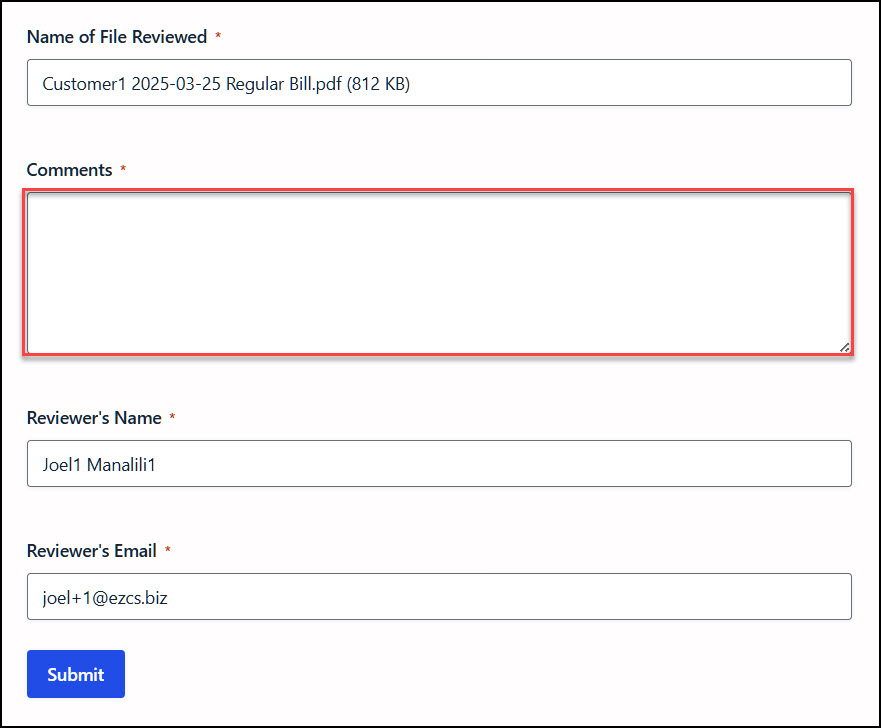
- Click the Comment icon to open the comment form.
- Enter your comment and submit the form.
The comment is associated specifically with the selected uploaded file, making it easy to provide feedback, questions, or additional information related to that file.
In the comment form, the document name, user name, and user email address are automatically populated and cannot be edited. This ensures that the comment is correctly associated with the selected document and the user submitting it, leaving only the comment field for the user to complete.
Once the form is submitted, it cannot be edited. A notification email is sent to ADMIN.
On the right side of the form, a list of previous comments from other files is also displayed for reference, allowing users to review comments and feedback submitted on other documents.
Comment Archive

